How to remove an eSIM from your smartphone
Are you back from your last trip and want to uninstall your eSIM? Or do you need to buy a new one and want to be sure to be completely removing the previous one?
Follow this guide to ensure you completely and permanently remove the eSIM from your smartphone.
Warning: once deleted, reinstalling the same eSIM is not guaranteed to work. Only proceed if the eSIM is expired.
Choose Your Device
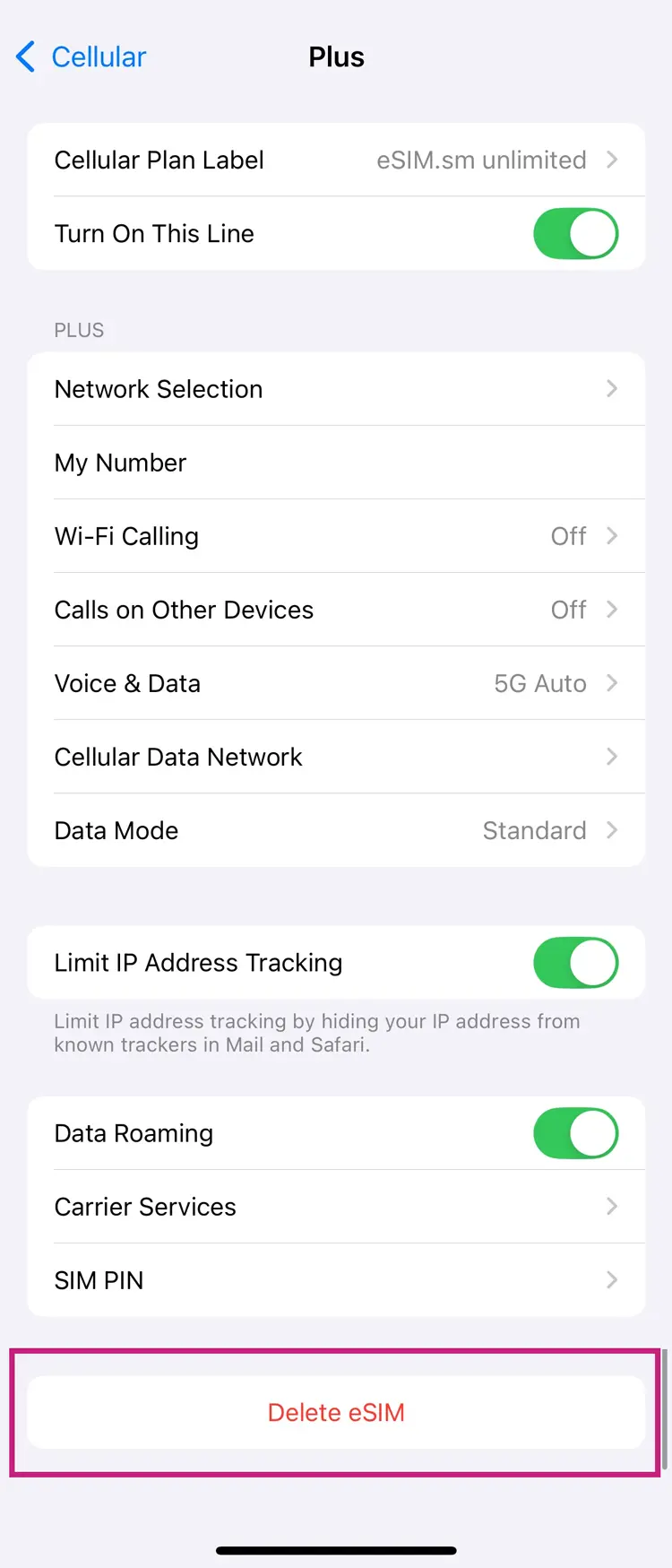
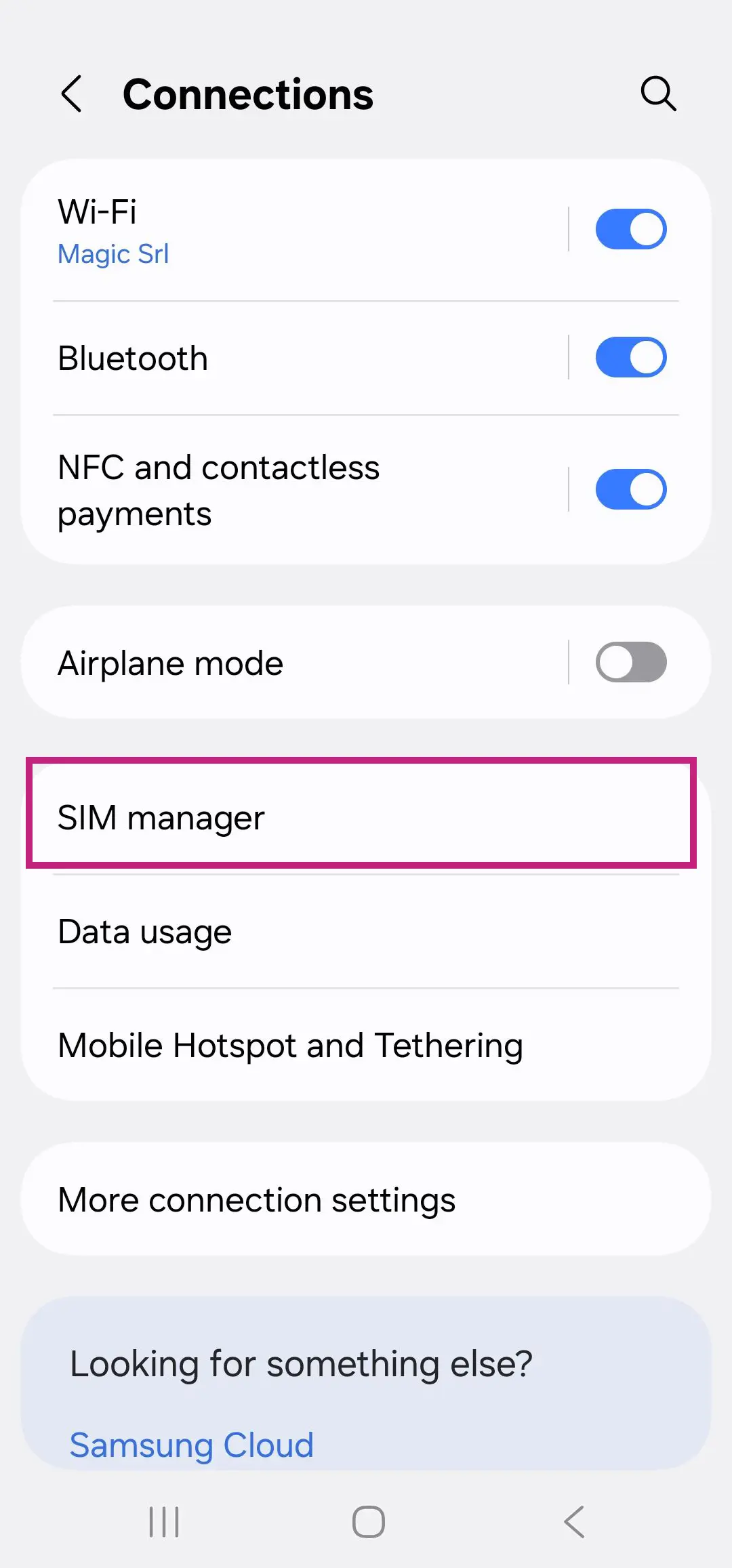
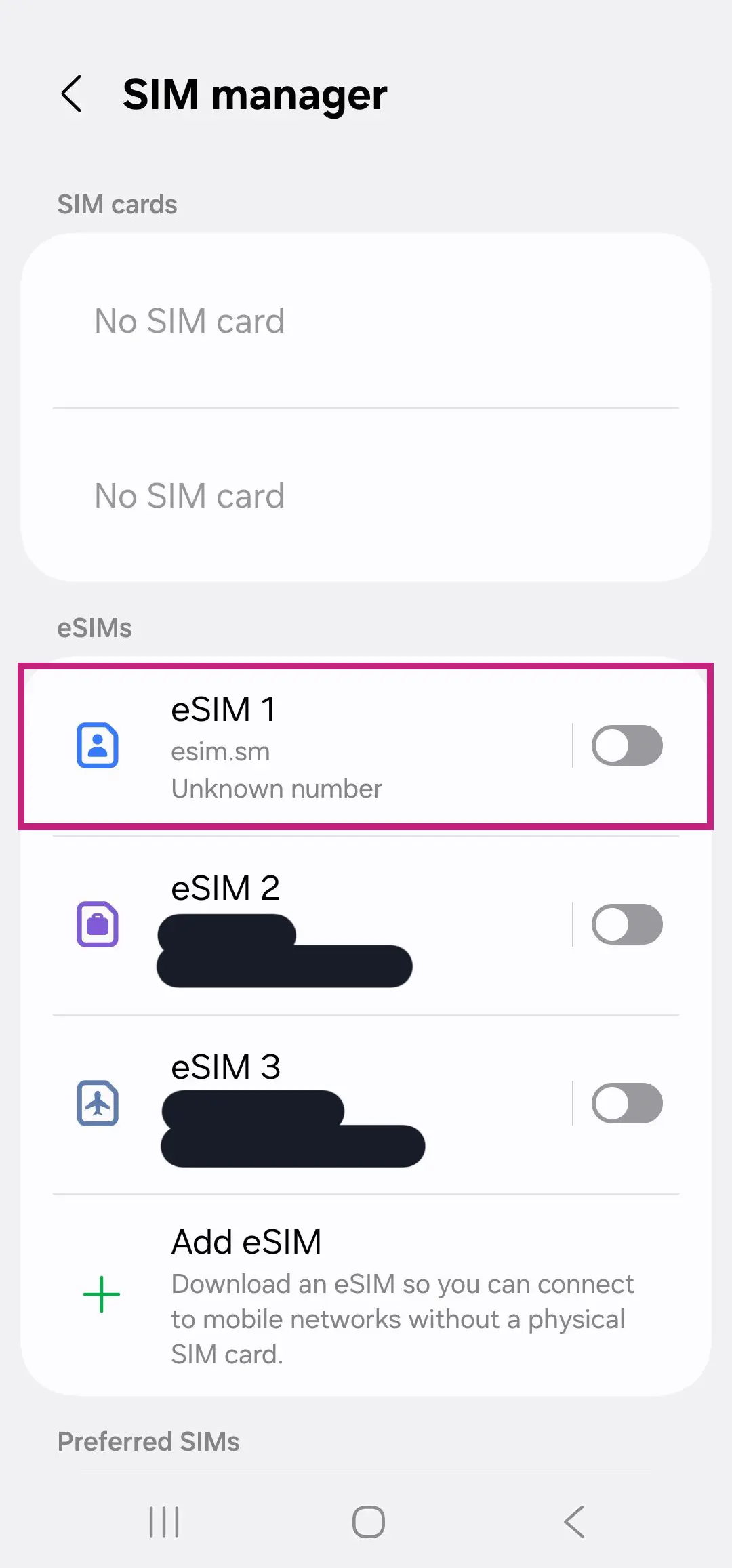
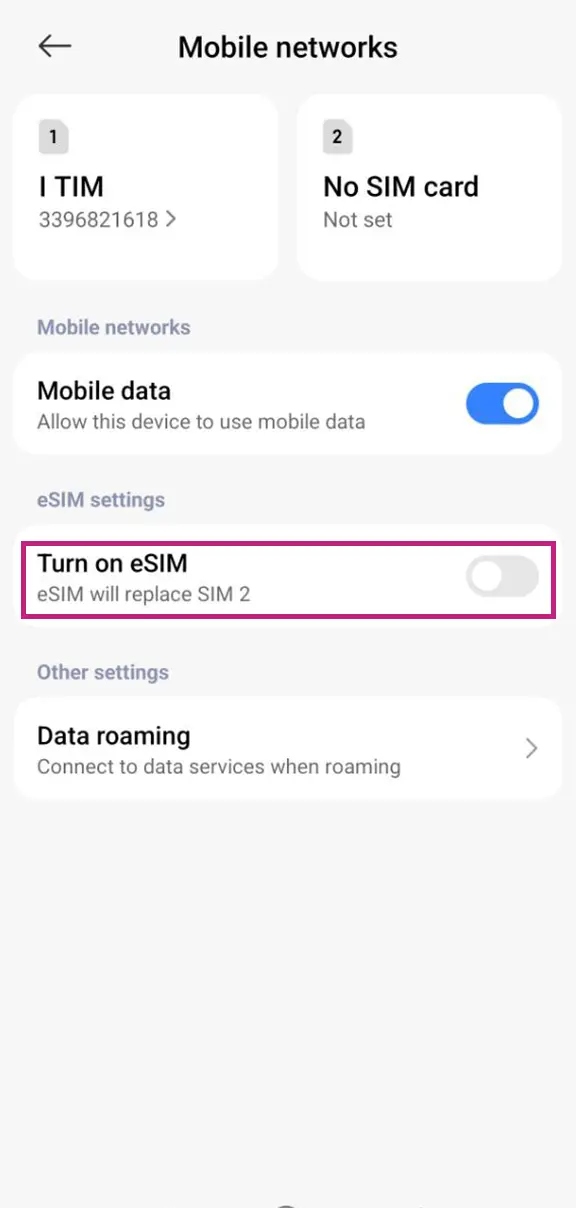
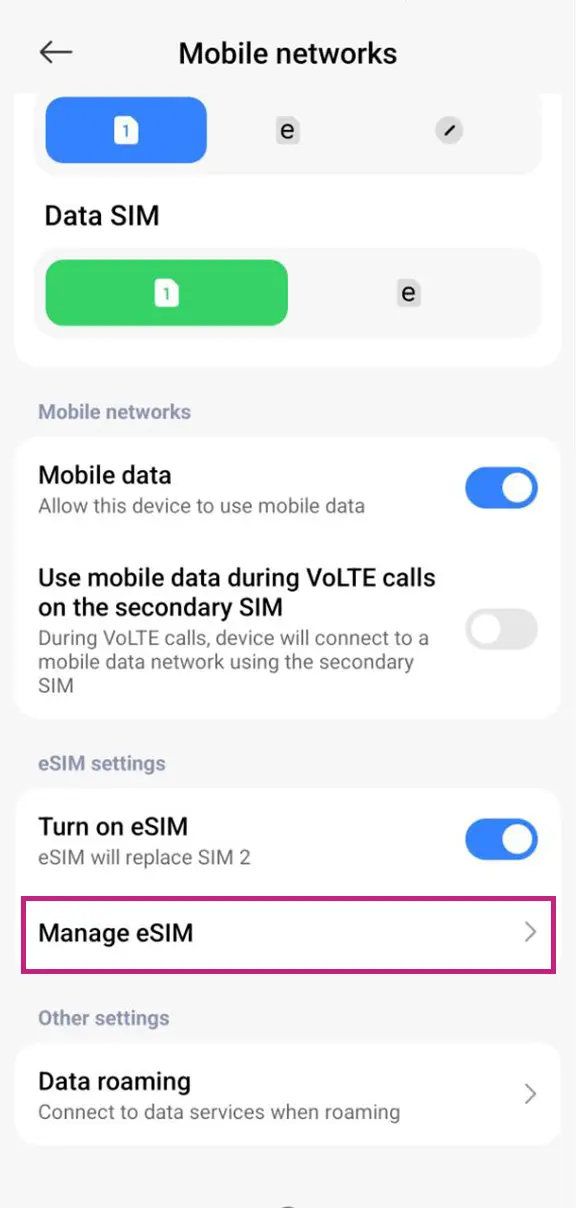
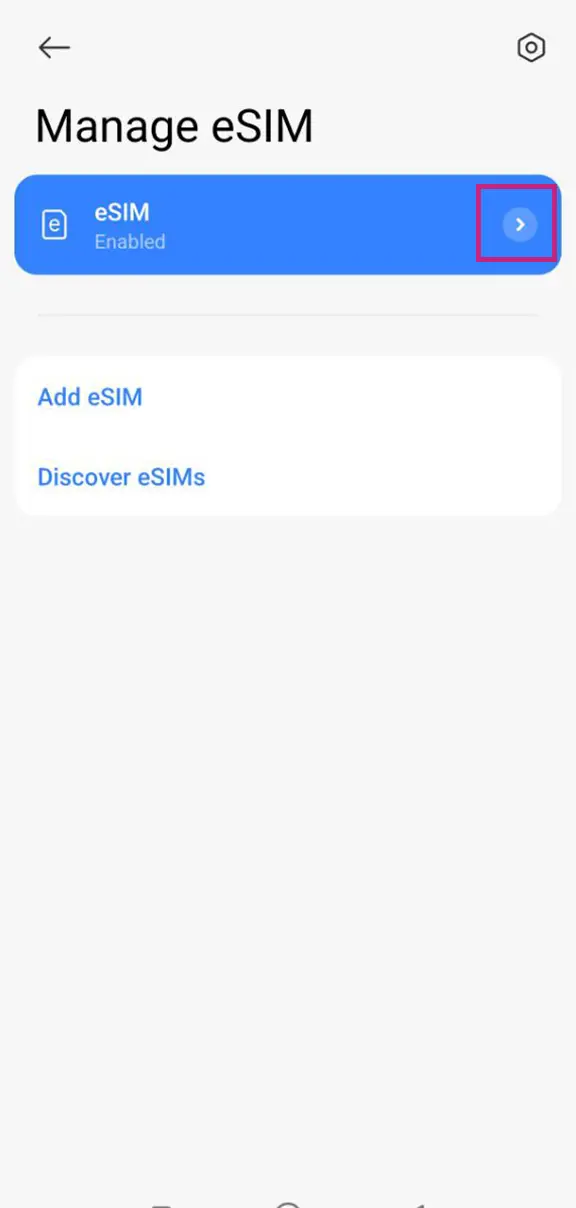
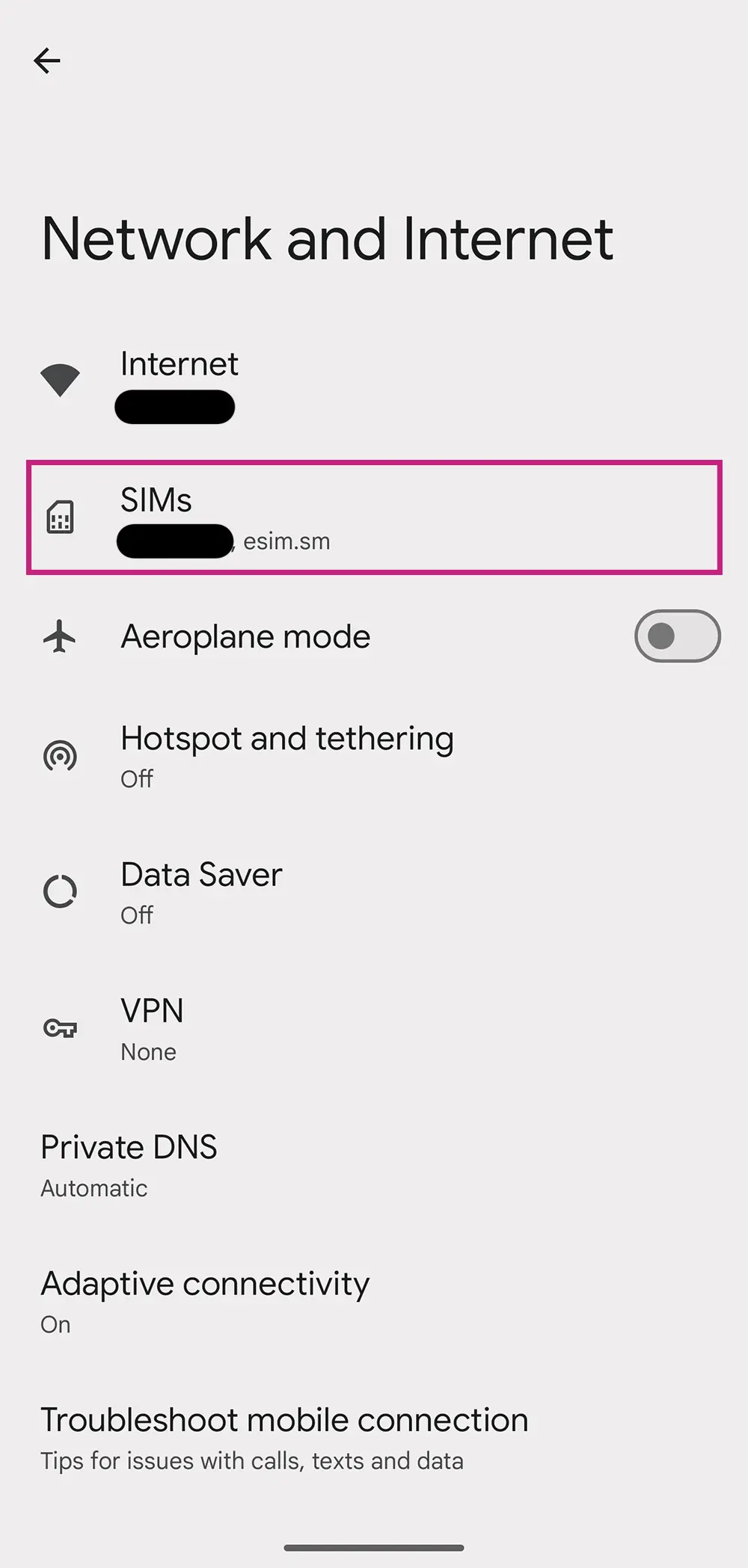
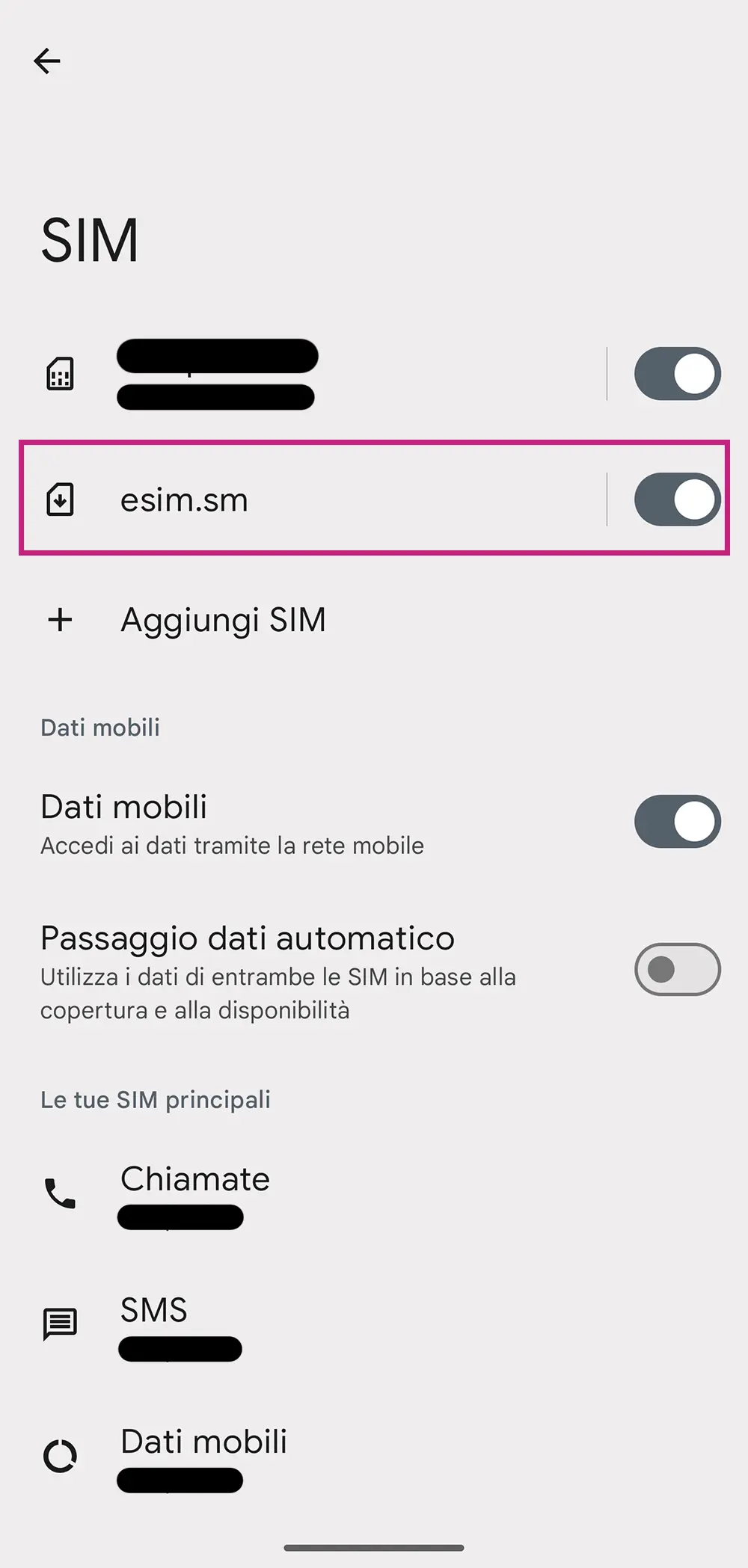
If the eSIM is still ENABLED, Go to Settings > Mobile Service/ Cellular > SIMs and select the eSIM you want to delete.
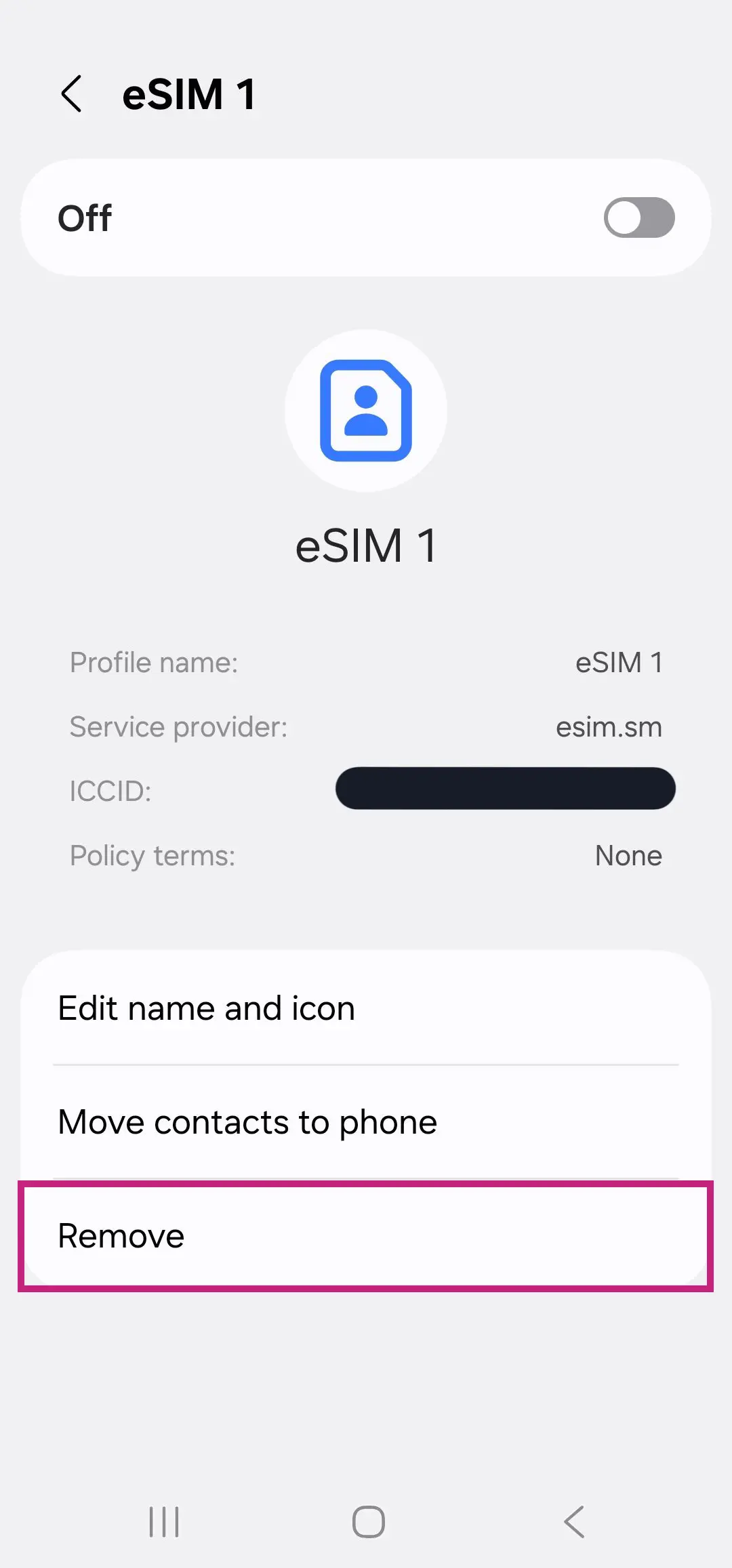
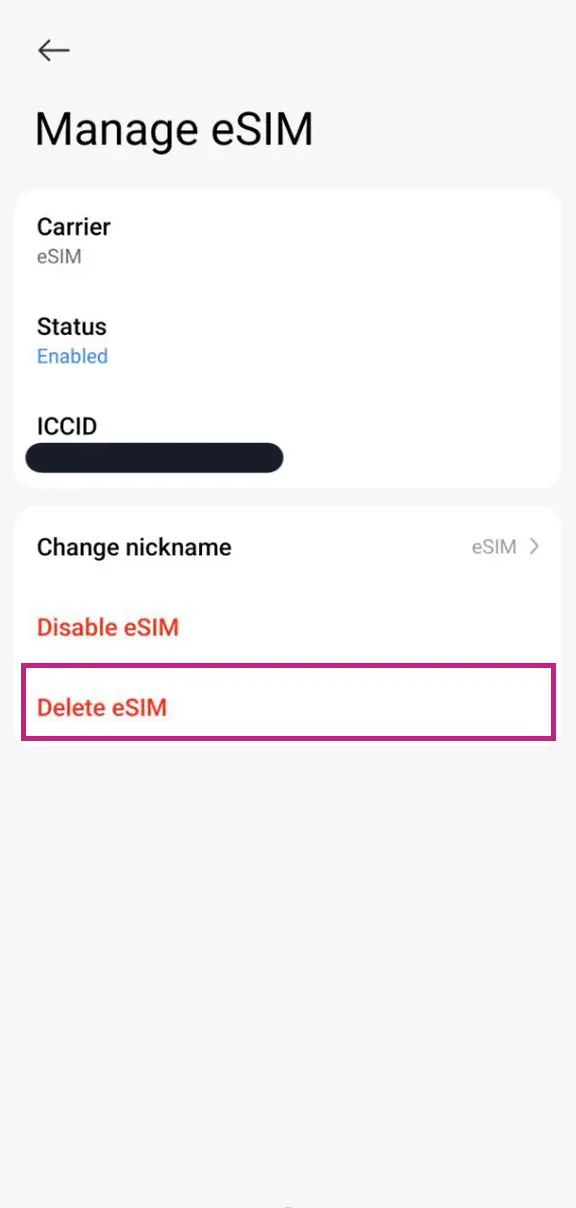
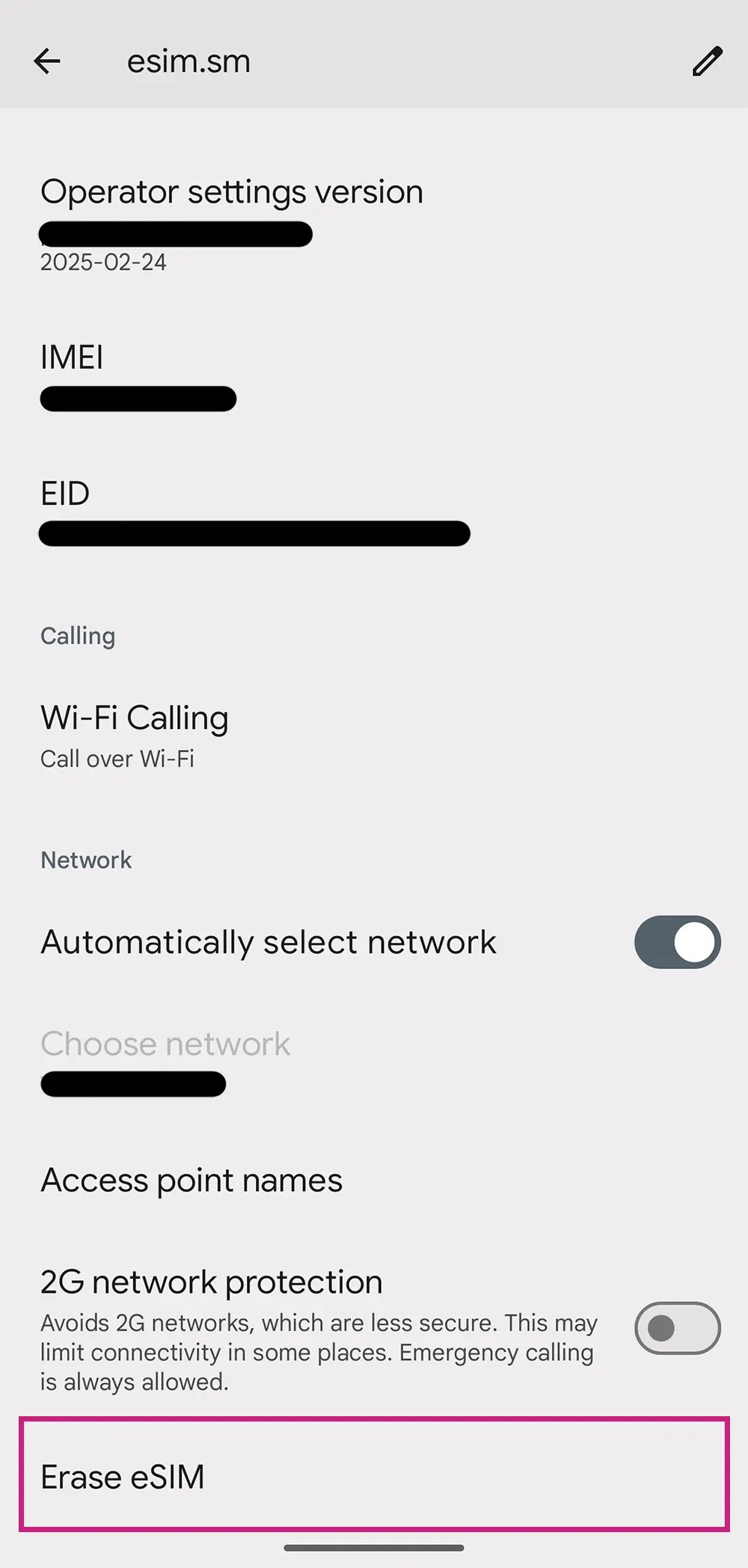
Scroll to the bottom of the section to find the “Delete eSIM” option
If the eSIM is DISABLED, you are gonna find the “Disable eSIM” option immediately
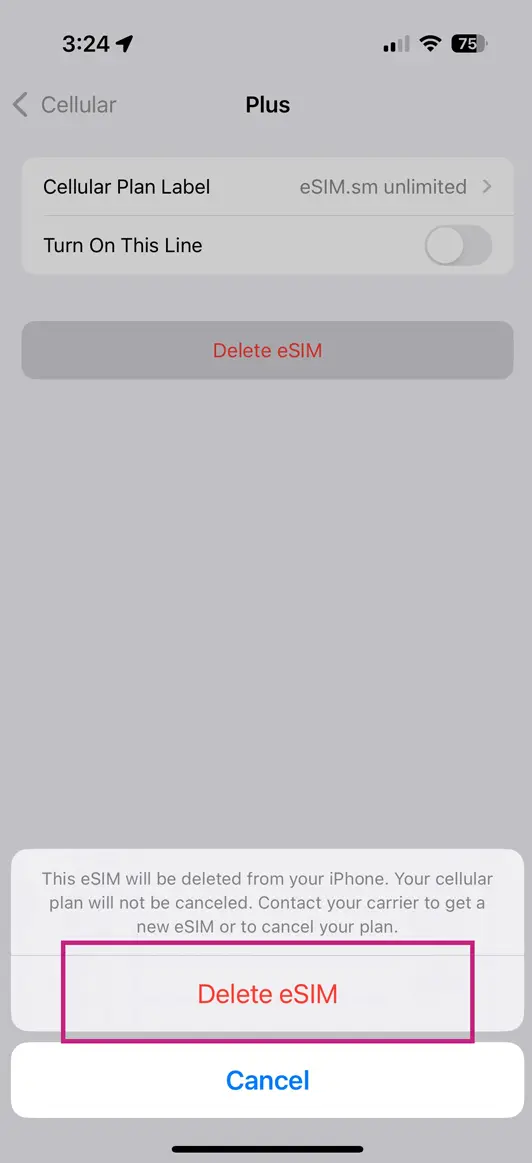
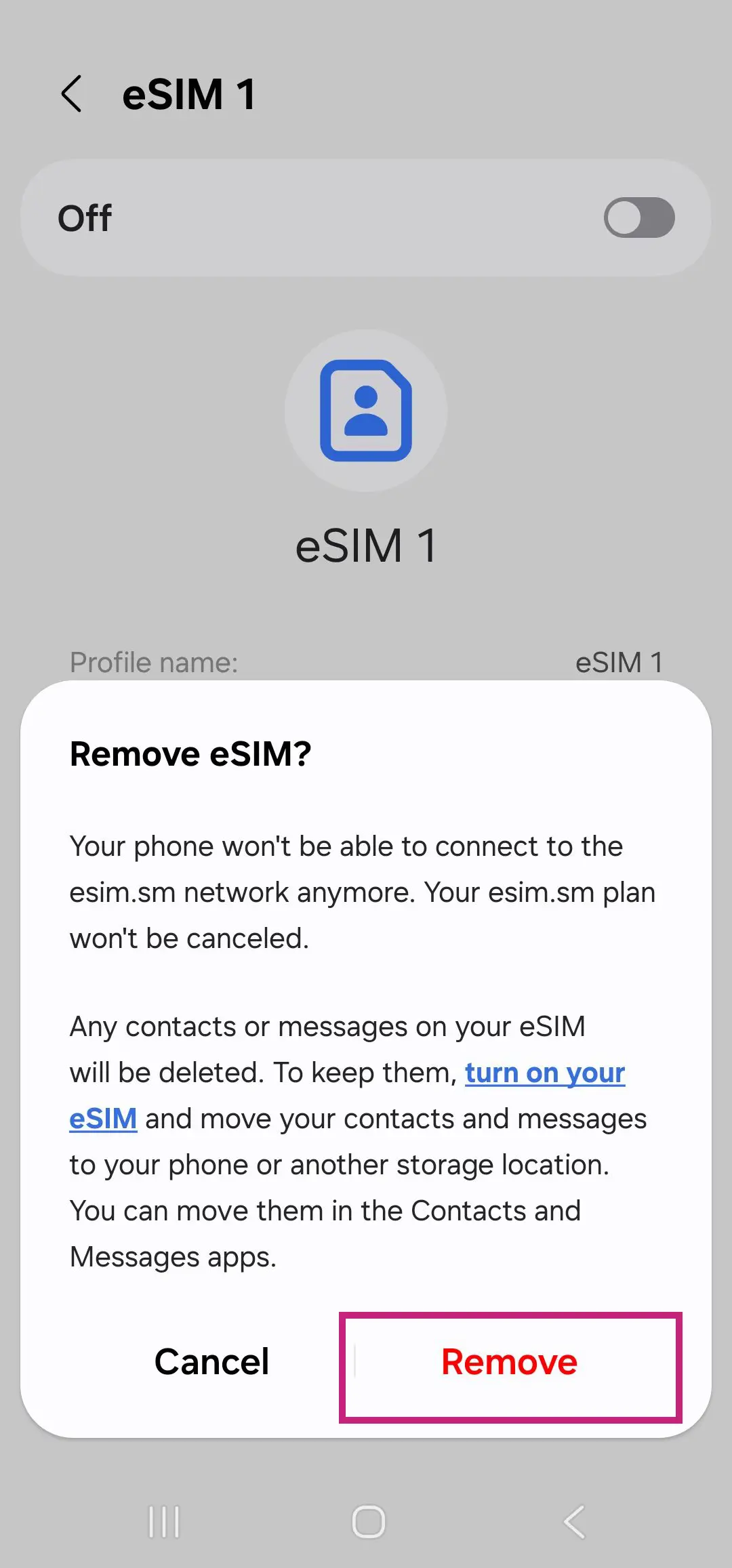
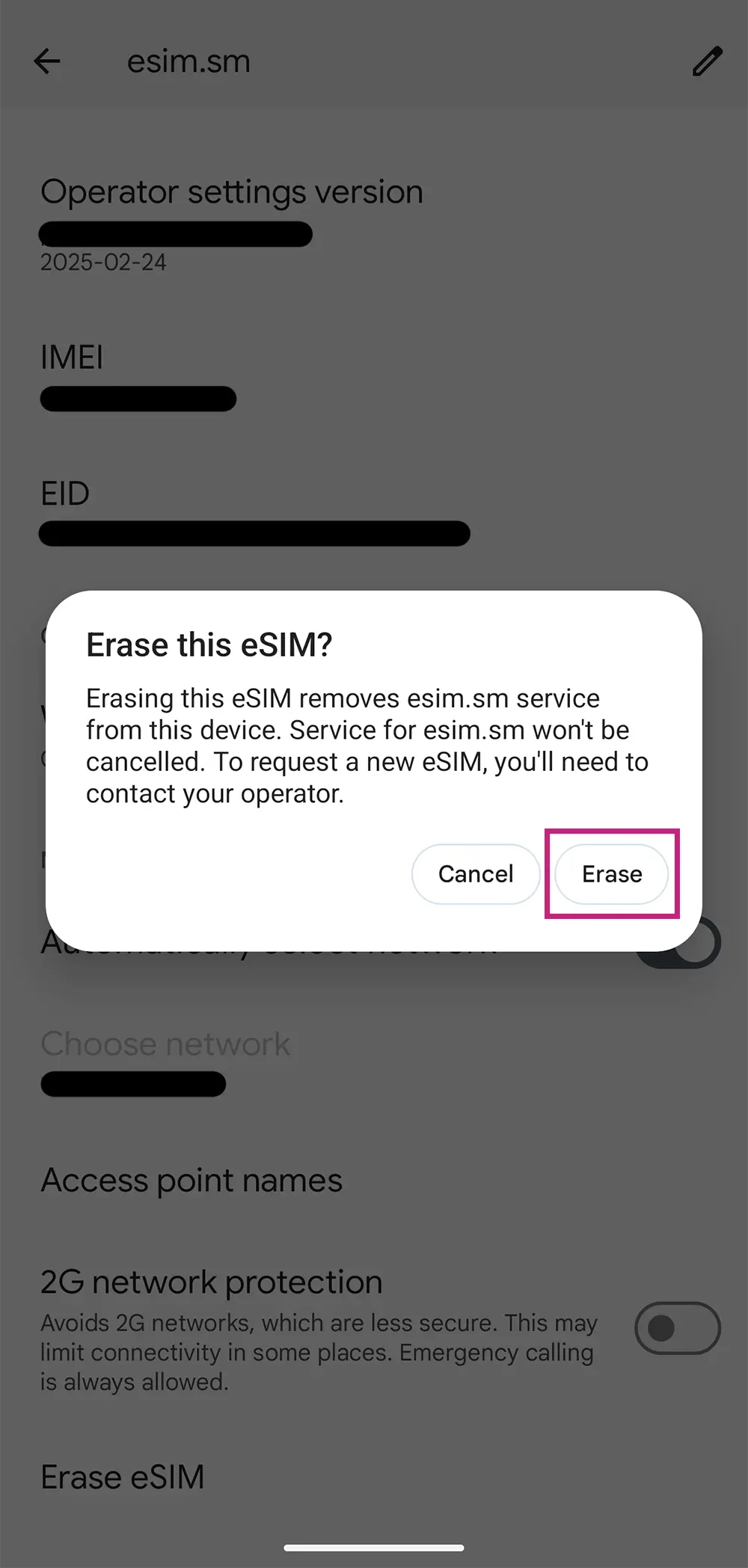
You will need to confirm the decision to delete the eSIM twice. Remember that once deleted, reinstalling the same eSIM is not guaranteed to work.
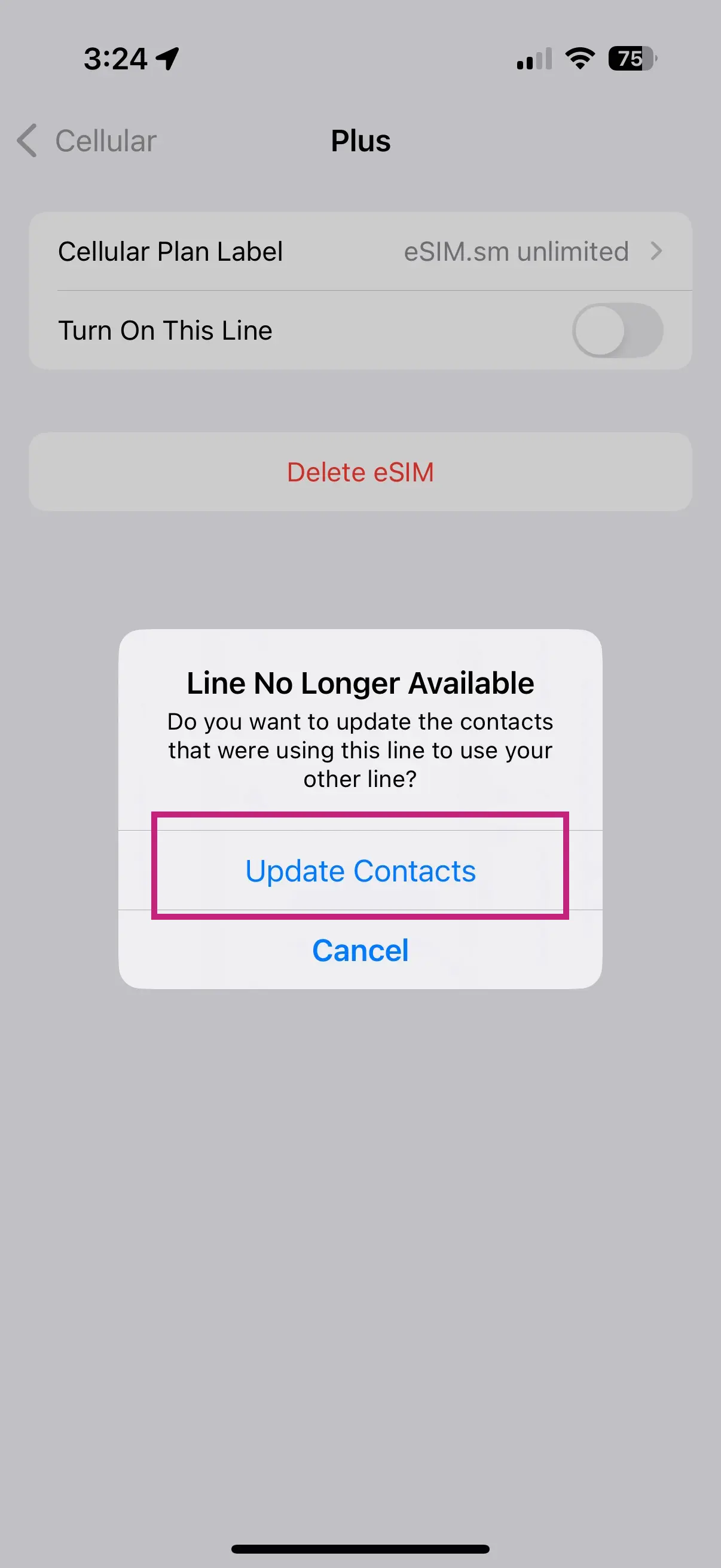
Click on “Update Contacts” to completely remove the eSIM records from your smartphone.